What’s New in Node.js 24: Key Features and Improvements
July 14, 2025
Nearly 2% of global websites are using Node.js for backend coding. Netflix, PayPal, and LinkedIn are among them. Node.js plays a key role in boosting the processing speed of JavaScript. Moreover, it enhances the app’s performance, developer experience, and implements strong security features. Learning what’s new in Node.js 24 can be a smart move for developers and tech teams aiming to stay ahead.
In this blog, we’ll provide more insights into Node.js 24, including the latest features of Node.js 24 and its key enhancements. We’ll also share a step-by-step guide to updating Node.js to version 24.
Introduction to Node.js 24
Have you ever researched the Node.js release date? As per official reports, Node.js 24 was launched on May 6, 2025. The major vision of this platform is to provide a high-performance, event-driven setting for scalable applications. The latest version of Node.js emphasizes enhancing its core features without disrupting the current system. Plus, they follow a structured approach that helps you develop innovative applications with high stability. Overall, the recent version of Node.js takes contemporary software development to the next level.
Key Features and Improvements in Node.js 24
You may ask why it’s important to upgrade Node.js to version 24. From upgrading the V8 engine to improving security and stability, the latest Node.js version 2025 offers measurable benefits. Let’s take a glance at the refreshed Node.js features and upgrade versions.
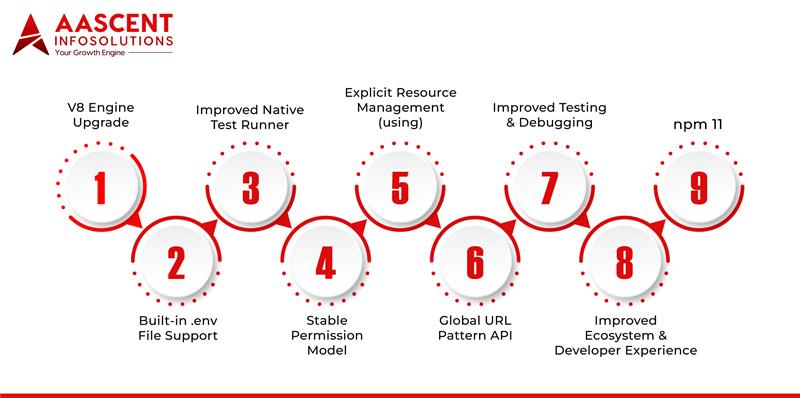
1. V8 Engine Upgrade (V12.4)
Google recently updated the V8 engine to its latest version 12.4, which supports high-end JavaScript coding. Look out for its benefits:
- Speeds up JavaScript execution.
- Handles memory and storage efficiently.
- High-performance gain–string processing, memory allocation, and garbage collection.
Node.js 24 integrates the latest V8 engine (v12.4), bringing significant performance and memory management improvements.
2. Built-in .env File Support
There is no need for third-party packages when you’re upgrading Node.js to the latest version. The recent version of Node.js allows you to access environmental variables directly with the help of .env files. Use the following CLI command to run your app with environment variables:
$ node –env-file=.env index.js
//This code runs the index.js file automatically by using the environmental variables.
With this new feature, you can easily manage configurations across different platforms–dev, test, and production. Plus, they reduce dependency bloat.
3. Improved Native Test Runner
It is essential to upgrade the Node version based on your business requirements. Earlier versions of Node.js were less reliable and involved more complex testing workflows. But Node.js:
- Improves the test runner, which helps teams build and scale their testing pipelines simply.
- Reduces the dependency on external tools–Mocha or Jest.
- Enables structured test reports.
- Creates custom test case environments.
All these advanced features help QA and DevOps teams to take complete control of test flows.
4. Stable Permission Model
Upgrade to Node.js 24 to take full advantage of its stable and secure permission model. But how does it ensure safety? Node.js 24 introduces a stable permission model that lets you explicitly control access to system files, sub processes, and network resources. This is a secure tool for protecting CI/CD pipelines and production scripts.
Check out this basic example:
$ node –allow-read= ./logs app.js
//This prevents the unauthorized file access of app.js, allowing it to see only the logs.
5. Explicit Resource Management (‘using’)
What’s new in Node.js 24 about handling resources efficiently? Yes, the latest version of Node.js has a ‘using’ keyword. When you use this keyword in coding, it will clean up your resources automatically. In addition, they will organize and manage handles, sockets, and database connections. Large enterprises are heavily using this feature as they avoid memory leaks while improving the stability of software.
Use case:
$ using file = await openFile(‘report.txt’)
//This code will close your files as soon as the work is completed.
6. Global ‘URLPattern’ API
Update Node.js on Windows to unlock huge benefits. This is a master key for backend developers to match and route URLs in an effective way. Here’s what they do:
- Validate API endpoints.
- Create custom RegEx-based routers without major libraries.
- Analyse and extract useful data from defined URLs.
7. Improved Testing and Debugging
Developers are now upgrading Node.js to the latest version, which helps them find issues much faster. Take a look at its key benefits:
- Improves stack traces.
- Identify errors accurately.
- Integrate better with tools–Chrome Dev.
This approach is widely adopted by experienced developers working with microservices and distributed architectures.
8. Improved Ecosystem and Developer Experience
Upgrade Node.js 24 to enjoy the benefits of streamlined workflows. Below are its unique key features:
- It aligns perfectly with Typescript workflows.
- Speeds up the dependency resolution.
- Provide full support for modern import syntax, making it stable.
9. npm 11 (Included by Default)
npm 11 is a default feature in the latest version of Node.js 24. It improves productivity, helping companies manage complex dependency trees and modular architectures. Check this out:
- It boosts the package-lock performance.
- Accelerate installations.
- Improves monorepo support.
Read also: Software Modernization Strategy
Step-by-Step Guide to Installing or Upgrading Node.js 24
NVM, macOS, and manual are the top methods to update Node.js. All these approaches are tailored for production and development environments.
1. NVM (Node Version Manager)
With NVM, users can handle different versions without making any system-level changes. Follow the steps below:
$ nvm install 24$ nvm use 24$ nvm alias default 24
2. Homebrew (macOS) or Chocolatey (Windows)
If you’re planning to manage wide system installations, then these homebrew or Chocolatey methods are the right choice.
For Homebrew (macOS), follow this code:
bash brew install node@24
For Chocolatey (Windows), follow this code:
powershell choco install nodejs --version=24.0.0
3. Manual Download from Node.js Official Website
It is the highly preferred method to take charge of your production servers. Follow these steps manually:
- Initially, go to the [Node.js Downloads page].
- Then, choose the perfect binary for your OS.
- Finally, install the setup.
Also, make sure to verify the installation using:
bash node -v npm -v
Read also: How to Choose a Software Development Partner for Long-Term Success
Conclusion
As of 2025, development teams are seeking effective ways to enhance their runtime upgrades. There enters the latest version of Node.js. It is the highly preferred method of modern developers for creating top-notch, secure, and user-centric applications. Yet many developers still ask, what’s new in Node.js 24? From executing high-level APIs to developing server less functions, the latest version of Node.js possesses outstanding capabilities. Upgrading to Node.js 24 is a forward-thinking move that modernizes backend development through speed, security, and stability.
Want to update Node.js to version 24? Then choose Aascent InfoSolutions. Our experts help you embrace this transition smoothly while future-proofing your backend systems. Contact us today to learn more about the latest version of Node.js.